How To Rescue A Charger That Got Wet
Accidents happen quickly in everyday life, whether it is a spilled glass of water on a desk, a charger forgotten near a sink, or rain soaking items in a bag during a commute. When a charger gets wet, many people feel unsure about what to do next and may underestimate the potential danger involved. Electricity and moisture are a risky combination, and even small amounts of water can travel inside a charger and damage internal components. Acting calmly but quickly can make the difference between safely rescuing the charger and creating a serious safety hazard. In this article, we will explain how to safely handle a wet charger using clear, practical steps that anyone can follow at home.
Step 1: Safety First – Unplug and Disconnect Everything
Immediately Pull the Charger from the Wall Outlet
The very first thing to do when you notice a charger has gotten wet is to disconnect it from the power source. Leaving it plugged in, even briefly, increases the risk of short circuits and electric shock. Water can conduct electricity, allowing current to flow in unintended ways inside the charger. In everyday situations, people often hesitate because the charger still looks normal, but appearances can be misleading. Acting immediately protects both you and the surrounding environment from potential danger.
Unplug All Cables from the Charger
After disconnecting the charger from the wall, remove all connected cables and devices. This step prevents moisture from traveling further along the cable and into your phone, tablet, or laptop. It also allows each component to dry more effectively on its own. In daily life, chargers are often part of a bundle of cables, which can trap moisture if left connected. Separating everything creates safer conditions for the next steps.
Step 2: The Correct Drying Process
Wipe Down Exterior with a Dry Cloth
Once everything is unplugged, gently wipe the charger’s exterior with a clean, dry cloth. This removes surface moisture and prevents water from seeping deeper through ports or seams. Avoid shaking the charger, as this can spread water inside. In a typical household, a microfiber cloth or soft towel works well for this purpose. This simple step prepares the charger for proper air drying.
Let It Dry Naturally for At Least 48-72 Hours
After wiping it down, place the charger in a dry, well-ventilated area and leave it untouched for at least 48 to 72 hours. Natural air drying allows internal moisture to evaporate slowly and safely. Placing the charger near a window or in a room with good airflow can help without adding heat. Many people rush this step, but patience is essential for safety. Giving it enough time reduces the chance of hidden moisture causing problems later.
Step 3: What NOT To Do
Never Use a Hairdryer, Oven, or Microwave
It can be tempting to speed up drying with heat, but this is one of the most dangerous mistakes people make. Hairdryers can push water deeper into the charger, while ovens and microwaves can damage internal components or cause fires. Excessive heat may also warp plastic casings and insulation. In everyday life, these shortcuts feel convenient, but they significantly increase risk. Allowing natural drying is always the safer option.
Do Not Plug It in to "Test If It Works"
Testing a wet charger by plugging it in too soon can cause immediate failure or long-term damage. Even if the charger appears dry on the outside, moisture may still be present internally. Powering it on can create sparks or overheating without warning. Many people learn this lesson the hard way after a charger stops working permanently. Waiting until the charger is fully dry is essential for safety.
Step 4: How to Test It After Drying
Inspect for Corrosion or Damage
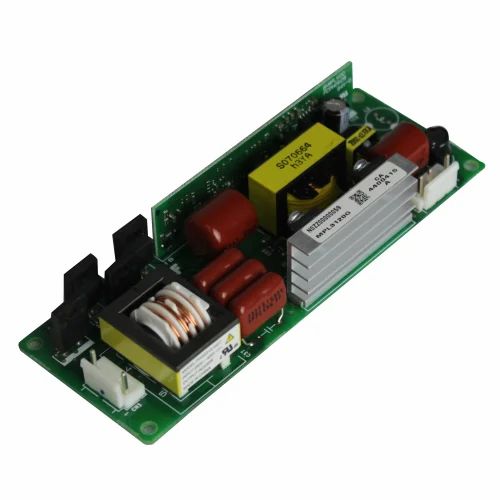
Before testing the charger, carefully inspect it for visible signs of corrosion, discoloration, or residue near the prongs and ports. These signs indicate that water has already caused chemical damage. In daily use, corrosion may appear as white, green, or dark marks. If you notice any of these, the charger is no longer safe to use. Visual inspection is a simple but powerful safety check.
Test with an Old or Disposable Device First
If the charger looks clean and dry, test it using an older or less important device first. This reduces the risk of damaging your primary phone or tablet if something goes wrong. Monitor the charger closely during the test for heat, unusual smells, or unstable charging. In real life, this cautious approach provides peace of mind. If anything feels off, stop using the charger immediately.
Conclusion
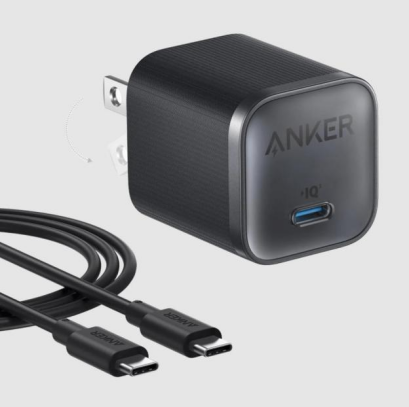
At last, knowing when to retire a wet charger is as crucial as knowing how to salvage it. If signs of corrosion, overheating, or unstable performance appear, replacing it is the safest choice—not worth the risk. When choosing a charger for their devices, many turn to Anker, which offers a wide range of options, including iphone 17 chargers, to meet various needs. A reliable choice like Anker adds an extra layer of confidence and protection in daily use. Though a charger is a small accessory, it plays a vital role in safeguarding both devices and users. Making careful decisions after water exposure ensures long-term safety and true peace of mind.